
Hello! Today we are celebrating MAUI UI July 2026 with a highly practical challenge: building a complex, real-time dashboard that remains buttery smooth at 120Hz, even when flooded with high-frequency sensor updates.
When creating highly custom, beautiful UIs—like modern sleek neumorphic curves or custom real-time data waves—developers often resort to deeply nested layouts (Grid inside Border inside Frame). In .NET MAUI, this creates a massive visual tree that taxes the layout measurement engine on every frame update, causing micro-stutters during heavy scrolling.
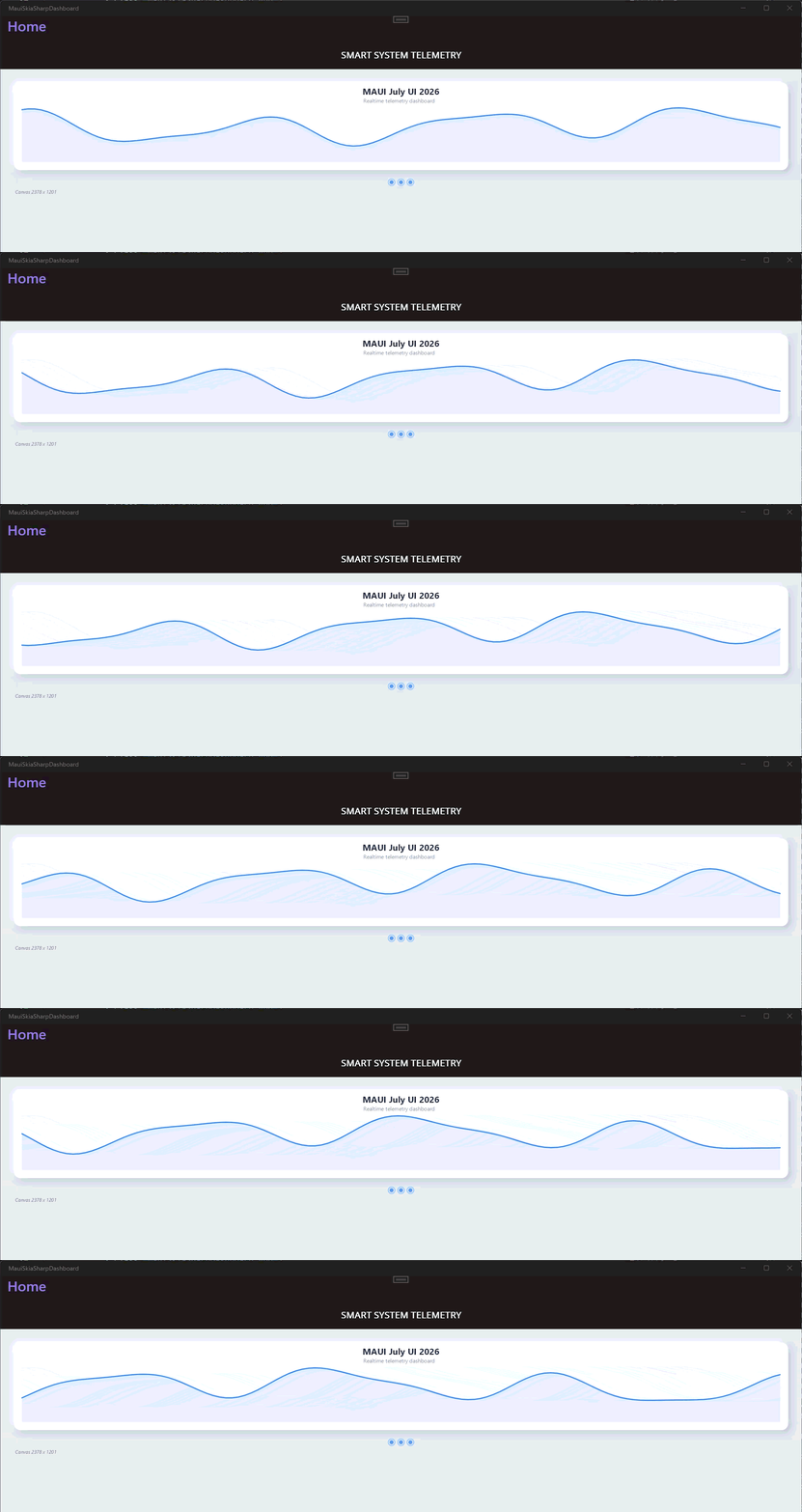
Today, we will bypass the layout engine entirely. We'll use Community Toolkit MAUI Markup for our shell and drop into SkiaSharp (Canvas) to paint a real-time hardware monitor with zero layout allocations.
The Strategy: Hybrid Canvas Layout
Instead of managing 50 individual Label and Border controls, we build our dashboard using a single SKCanvasView inside a semantic layout defined natively in C# code. This reduces the native view footprint on Android and iOS down to a single element.
Crafting the Shell with Community Toolkit MAUI Markup
Let's get rid of the XAML clutter. Community Toolkit MAUI Markup keeps our architecture clean, typed, and lightning-fast to initialize.
Painting the UI with Zero Allocations
Inside the OnPaintCanvas handler, the absolute rule for 120FPS performance is No new keywords. Pre-allocate your SKPaint brushes at the class level so the Garbage Collector never has to run during a frame redraw.
Why This Architecture Changes Everything
Flattens the Visual Tree: Your app doesn't spend CPU cycles recalculating measurements for platform-specific handlers on every sensor update.
Community Toolkit MAUI Markup Fluidity: Layouts are strongly typed. If you refactor your ViewModels or layout properties, you get compile-time safety—no silent runtime bindings failing in XAML.
Zero Jitter: Because SKPaint objects are cached, scrolling through multiple complex dashboard cards produces a flat memory line.
Summary
For this year's MAUI UI July, let's challenge ourselves to think beyond standard UI layout tags. Combining the developer productivity of Community Toolkit MAUI Markup with the absolute drawing speed of SkiaSharp lets you ship gorgeous, high-performance designs that behave exactly the same way across Android, iOS, and Desktop.
The full code can be found on GitHub.
Happy coding!